Remote File Explorer
Overview
The File Explorer is a feature of VSEC Test enabling you to manage files on a Bench via the web application. From the File Explorer you can browse the file system, download files, upload files, create folders, and rename or delete items.
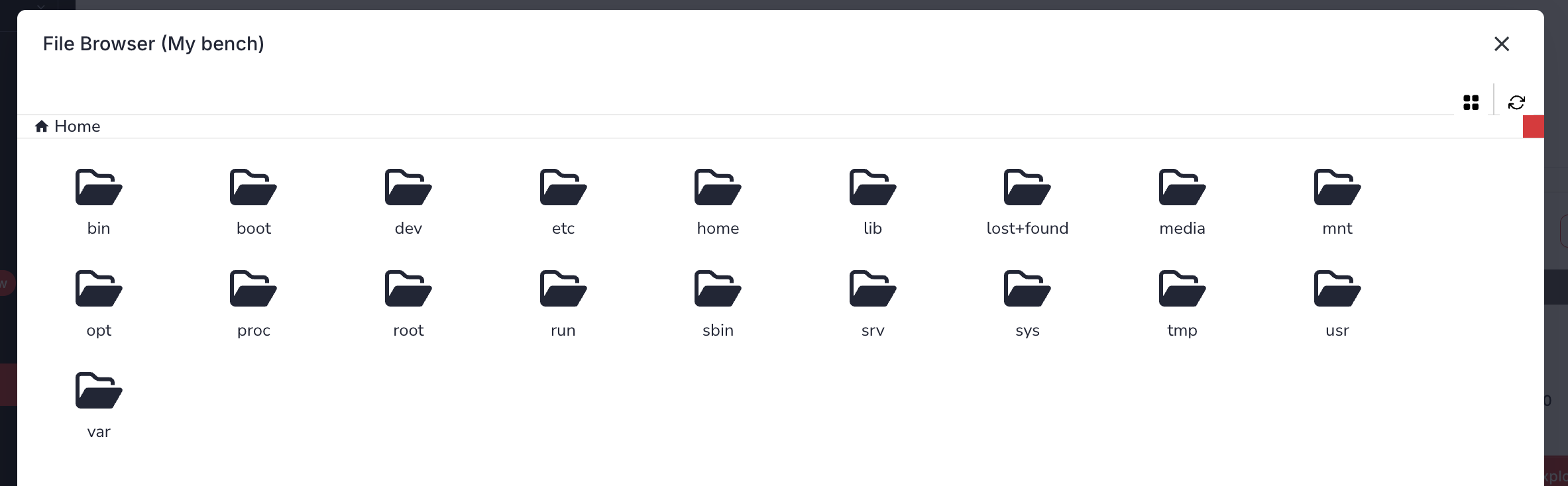
Guide
- Sign-in to vsec.blockharbor.io
- Navigate to Test on the sidebar menu to enter the VSEC Test application and then select the Benches submenu.
- Click the folder icon (
) on the Bench’s row, or open the Bench by clicking the view icon (
) or its row and then click the
File explorerbutton. Both are only available while the Bench is online.
From the File Explorer you can:
- Browse the file system using the folder rows and breadcrumb trail.
- Download a file using the download icon ( ) on its row.
- Upload files using the Upload file icon at the top of the window.
- Create a folder using the New folder icon at the top of the window.
- Rename or Delete an item using the icons on its row.
Note: File modifications, including uploads, renames, deletions, and folder creation, are only permitted inside the
/home directory. Files located outside of /home are read-only and can be viewed or downloaded only.ALERT: Deleting a file is permanent and cannot be undone.
Last updated on