Notifications
The Notifications page controls which workspace events you receive alerts for, and through which channels: in-app or email. Settings here are per-user and per-workspace, so they only affect notifications for the currently active workspace.
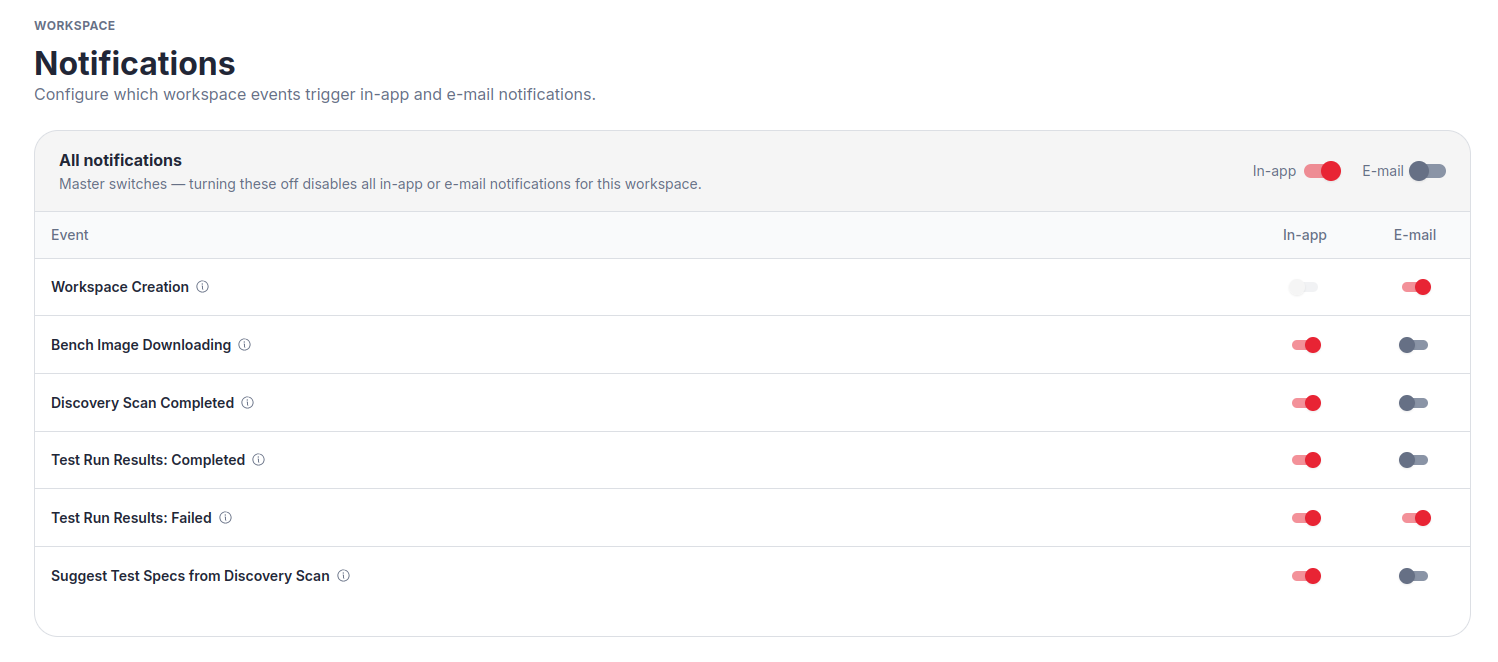
Master Switch
The All notifications row at the top has two switches: In-app and E-mail. Turning either off disables that channel for all events in this workspace at once, except for always-on events which cannot be disabled.
Per-Event Preferences
Below the master switch, a table lists each notification event type. For each event you can independently toggle:
- In-app: a notification badge or alert inside the VSEC platform.
- E-mail: a message sent to your account email address.
If a switch is greyed out, that delivery channel is not supported for that particular event type.
Always-On Events
Some events are marked with the caption (always on) and cannot be toggled off. These cover critical workspace actions where notifications are mandatory for all members.